Mario Artist Talent Studio
Published on 04 Feb 2026
The second thread that was originally made on Twitter about the Mario Artist suite.
This is developed by Nintendo internally this time. The second in the suite, it was bundled with the Capture Cassette and a microphone. These are not required by the software.
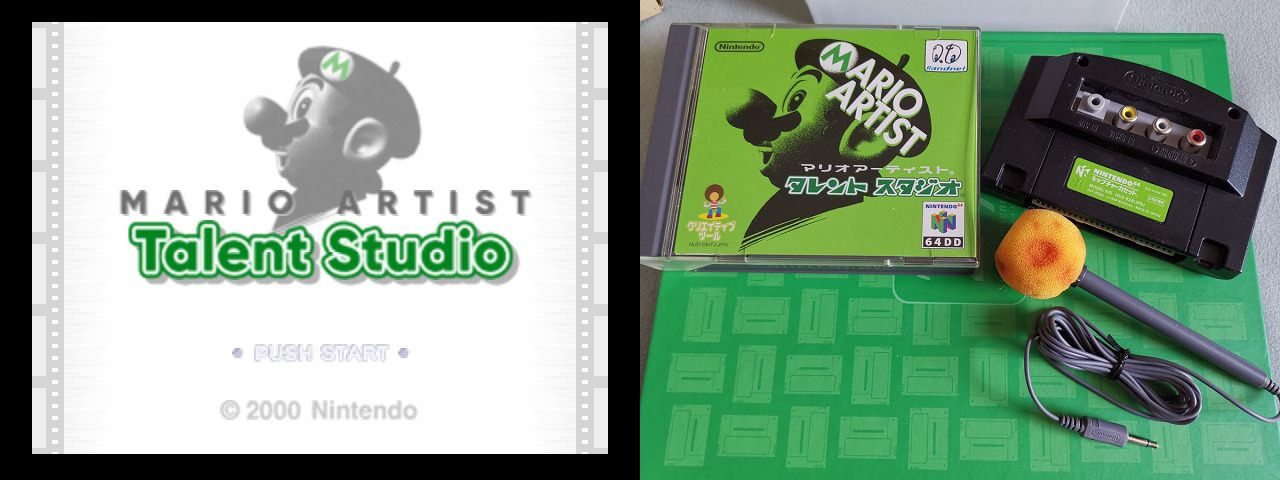
There is something I didn’t say about how to play Mario Artist, I would actually recommend plugging both a controller and a mouse. Using both at the same time can be very efficient when editing stuff for any title of the Mario Artist suite.
This one is more akin to Mii Maker, in which you can create a character. The word Talent, also referred as “Tarento”, describes a celebrity of pretty much any kind who regularly appears in media.
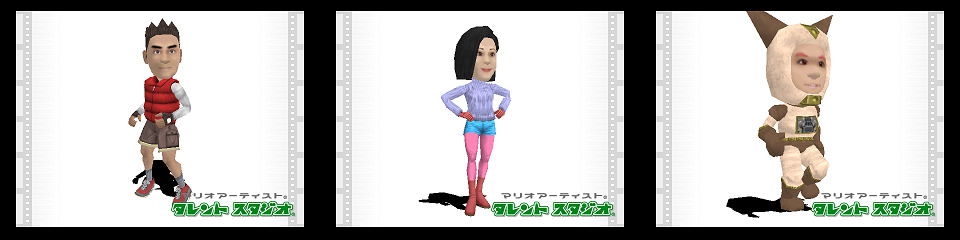
There are 3 modes:
- Make a Talent: in it is the main character editor.
- Make a Movie: which is actually a full fledged movie maker.
- Gallery: to show off talents and movies.
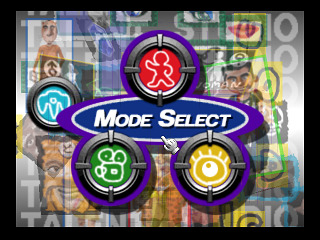
Make a Talent
When it comes to make a character… oh boy where do I begin. It’s one of the most fully featured character editor I have ever seen, it’s filled with love, it’s no joke. You can edit the face, the head, the body, the voice (sort of), and details about the character itself.
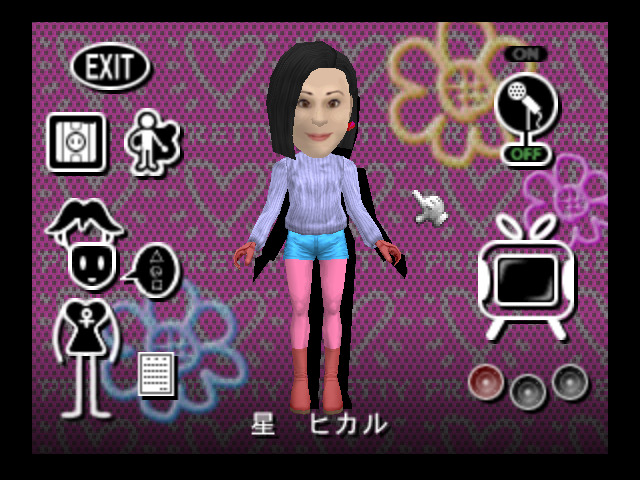
The face is technically a single texture that you edit, so you have a lot of choice on how to do it:
You can make a face using sample parts included with the editor, in which you can do honestly a lot of styles and the skin color you want.
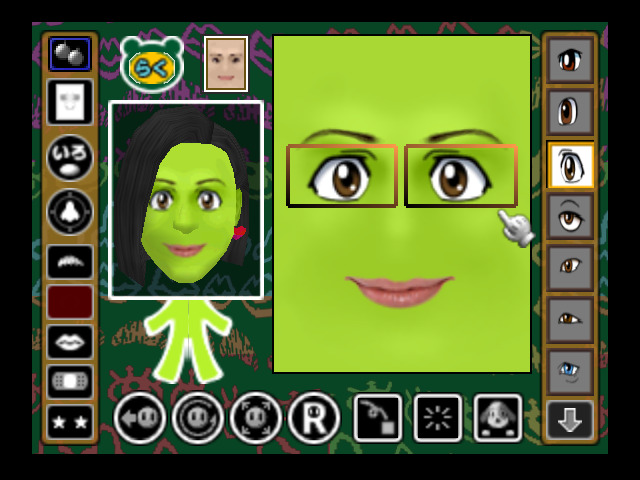
You can capture a face from the Capture Cassette or the Game Boy Camera, which works the same way as Paint Studio, or even just import a picture that you have made with Paint Studio if you want to.
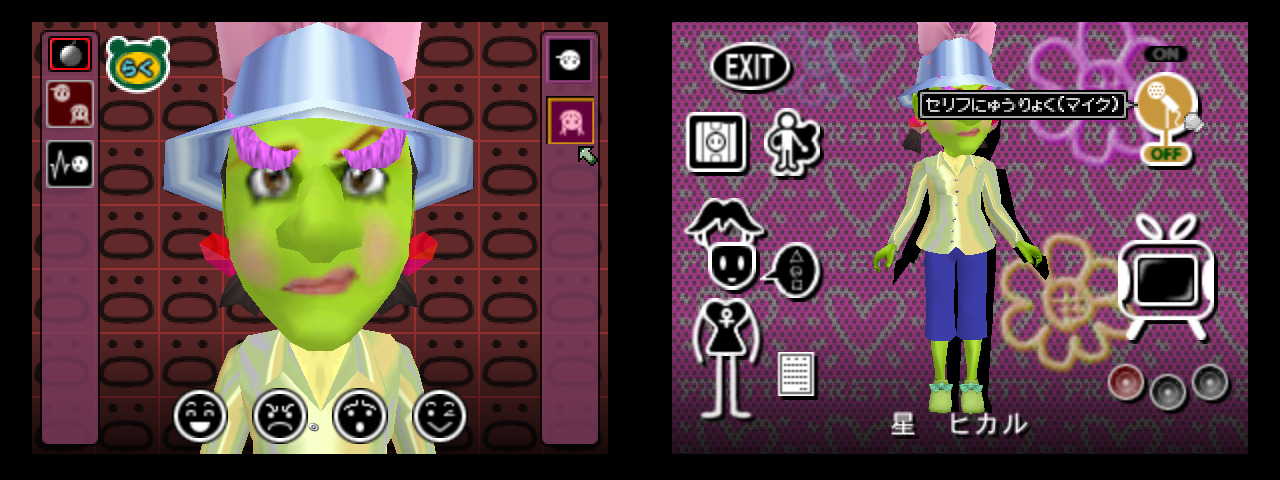
After that, you can actually apply make up on top if you want some additional details that you cannot add otherwise. And then the expressions, which is nothing but a distortion of the face texture. You can do a lot or simply go wild and do some absurd faces…
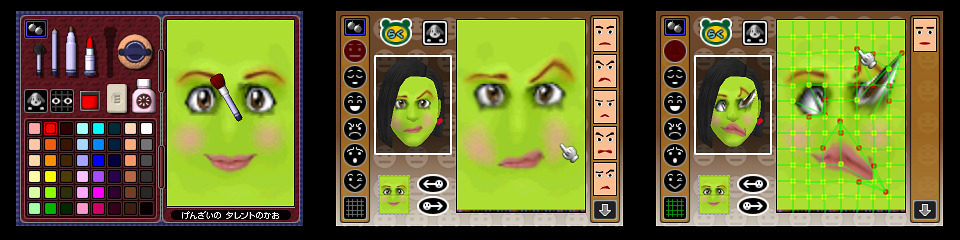
I only talked about the face editor. The head & body editor works in a similar fashion and some features are shared between both. You basically just select between a HUGE amount of parts, unfortunately you cannot import 3D models for this.
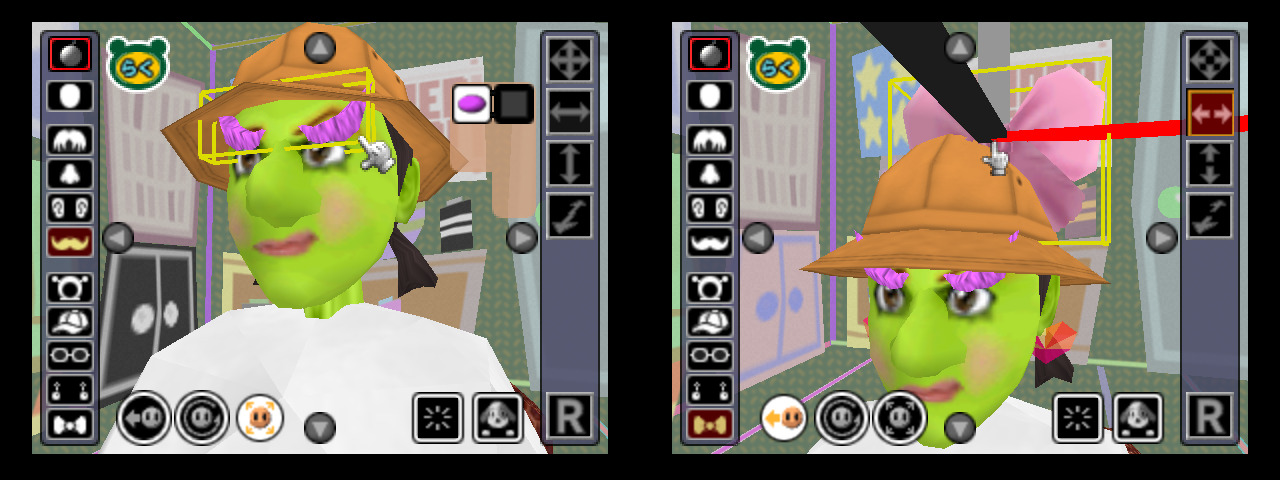
The head editor allows you to select the hair, nose, mustache, hats and much more. You can even sort of reshape parts by moving, rotating or scaling them back & forth. Nothing prevents you to use parts in ways not intended by the devs.
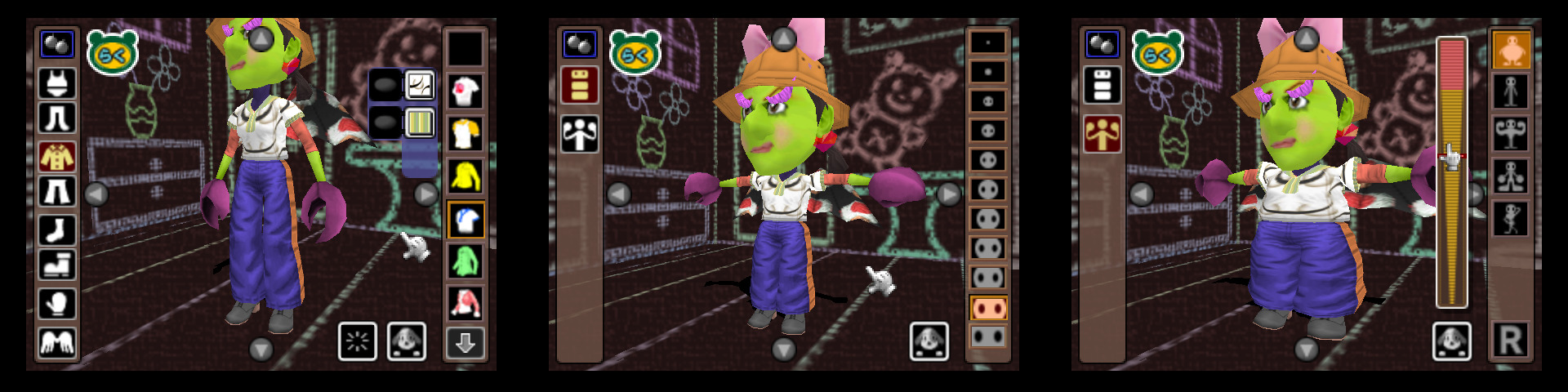
The body editor is a little more limited because the clothing available entirely depends on the body type (Male, Female and Other) of your talent. But there’s still a lot of choice. You can change some features of the body, even DK style.
But there’s one major feature that’s shared between both editors and that’s the color selection and patterns. Almost every part for the head or body can have their colors changed or even apply a pattern. You can also change the texture feel.
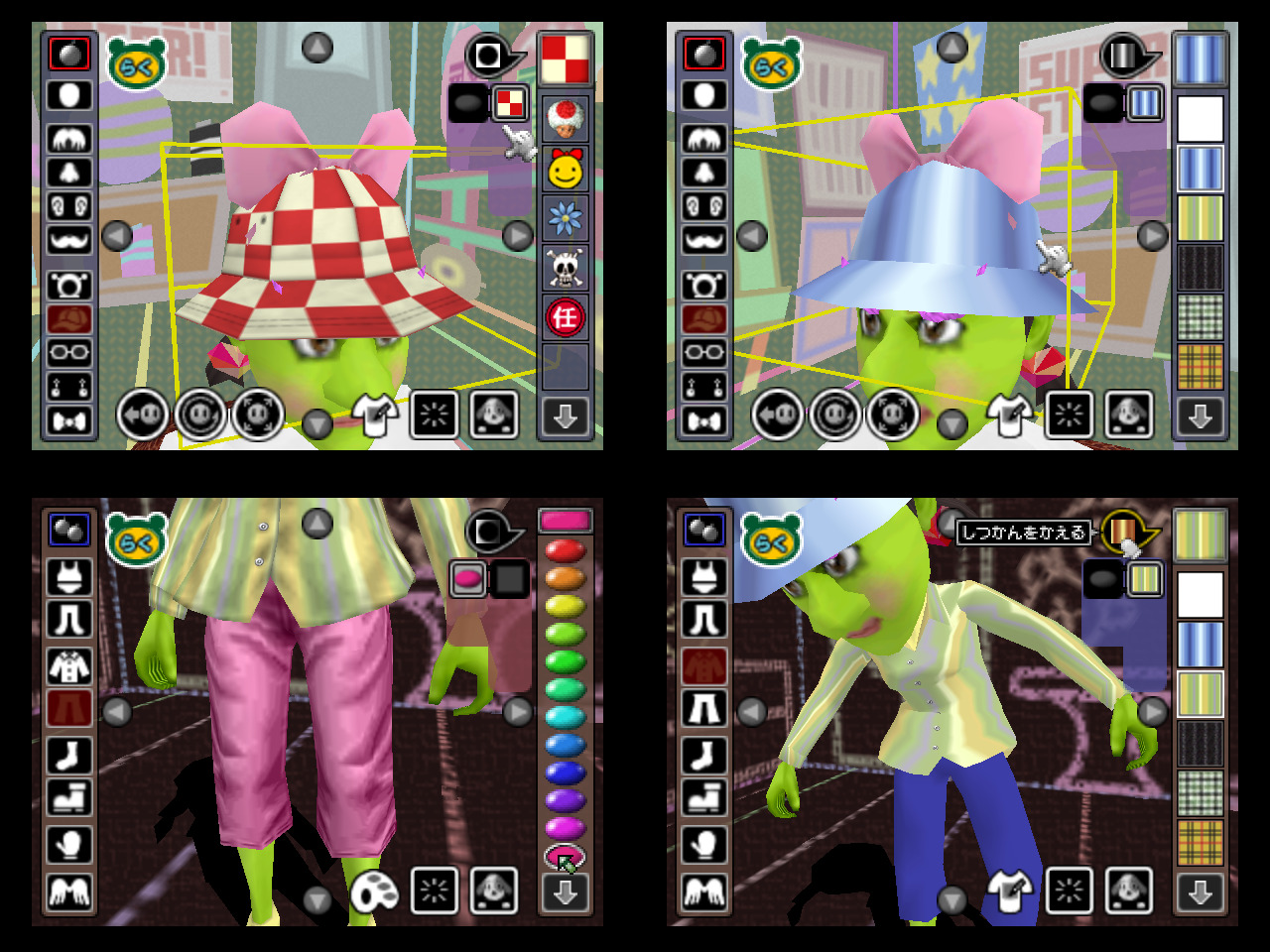
The patterns can either be captured via Capture Pak or Game Boy Camera, or taken from a Paint Studio image, or simply making it directly via the pattern editor, which may remind you of Animal Crossing… without the 16 color limitation. You can even save your own patterns.
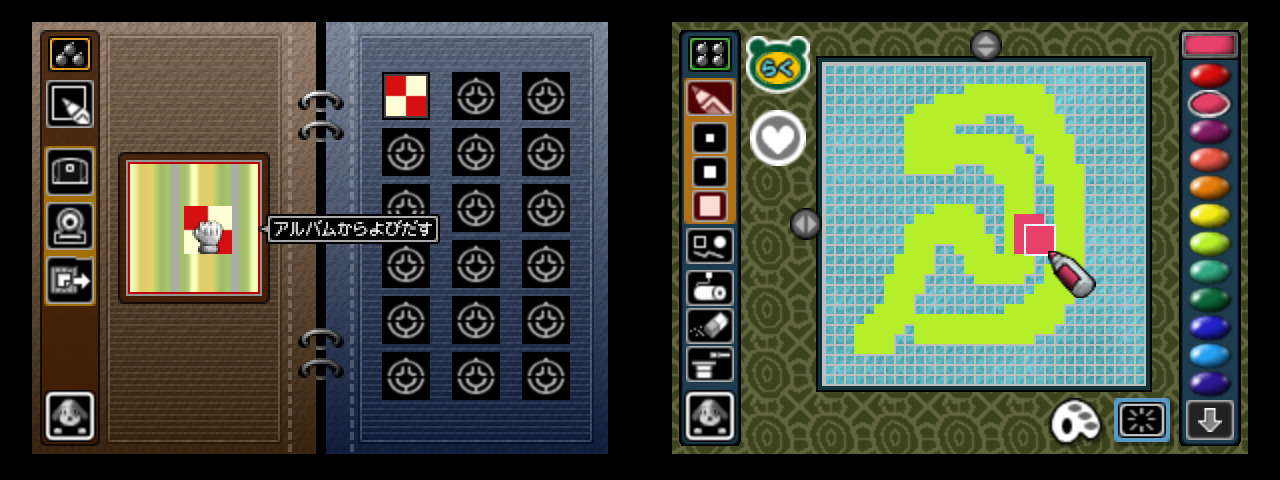
This alone is a feature that shouldn’t be underestimated with combined with all the parts that you can customize. You can even have a reflected pattern and have a metal feel.
Then there’s the voice editor which is just sample male or female voices with pitch changes. That’s it.
You can still have a custom voice to your talent, and that’s with the microphone (plugged into the Capture Pak). The talent will just parrot your voice and save it.
The info details editor is pretty simple, you can edit the talent’s name, job, birthday, catchphrase, gender, and some free space that you can put anything into.
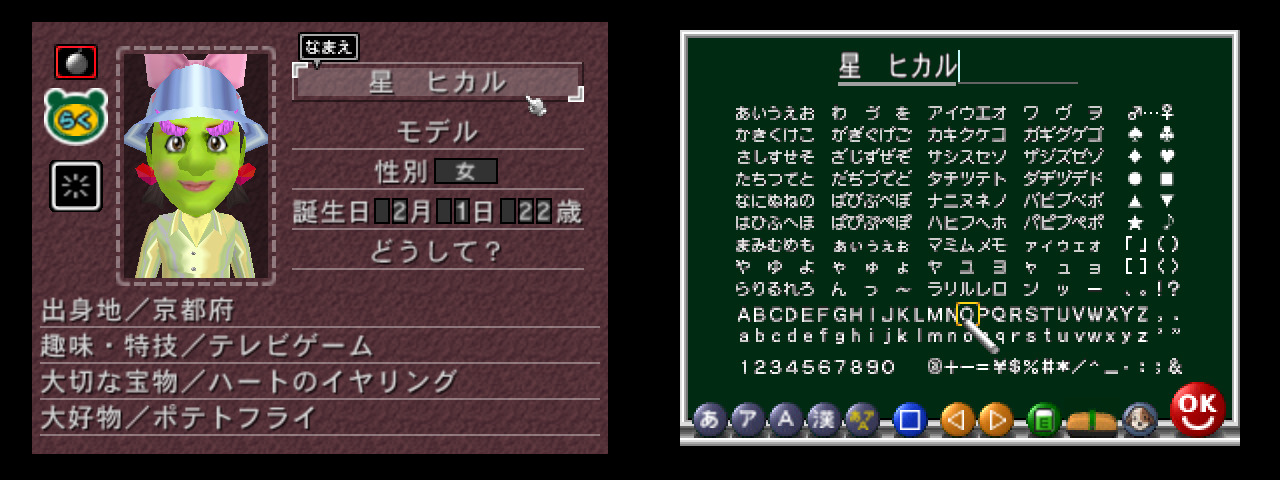
There’s literally 10 gender choices, but technically speaking they’re all male & female alternating. You can put N/A and ??? as genders if you desire, it’s still technically male/female in manners, but still cool to have such options, especially when it’s actually explicitly treated as seperate from the body type. Pretty woke for 2000 all things considered.
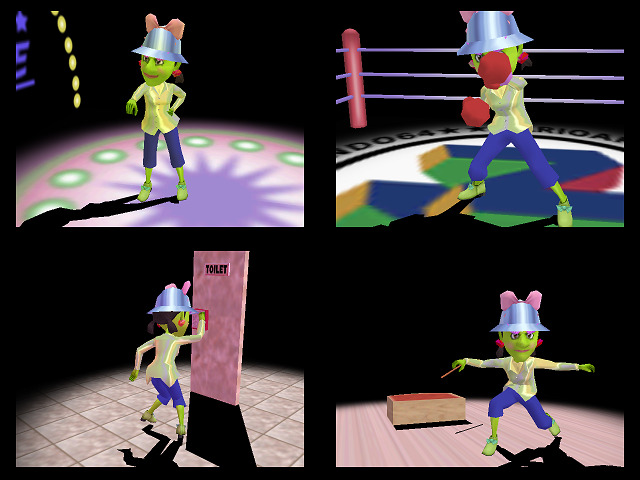
You can also have your talent in what’s called “Show Time”. Basically it’s all light hearted mocapped animations of varying situations, ranging from unfortunate moods to pretty funny, it’s just for show.
Make a Movie
This about covers the Talent Studio, now let’s talk about the Movie Studio. This mode could have been really popular if this came out to the west back then.
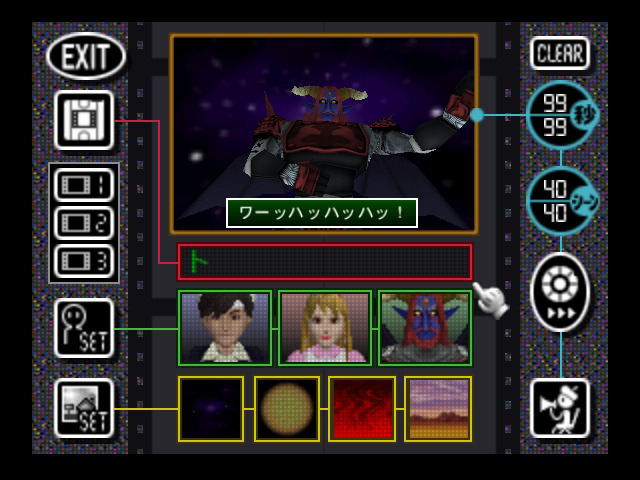
A movie can only have 3 actors, and 4 background pictures, and only one actor can appear at a time on the screen. You might have to stretch your creativity with these limitations, but they made up for it by having insane customization.
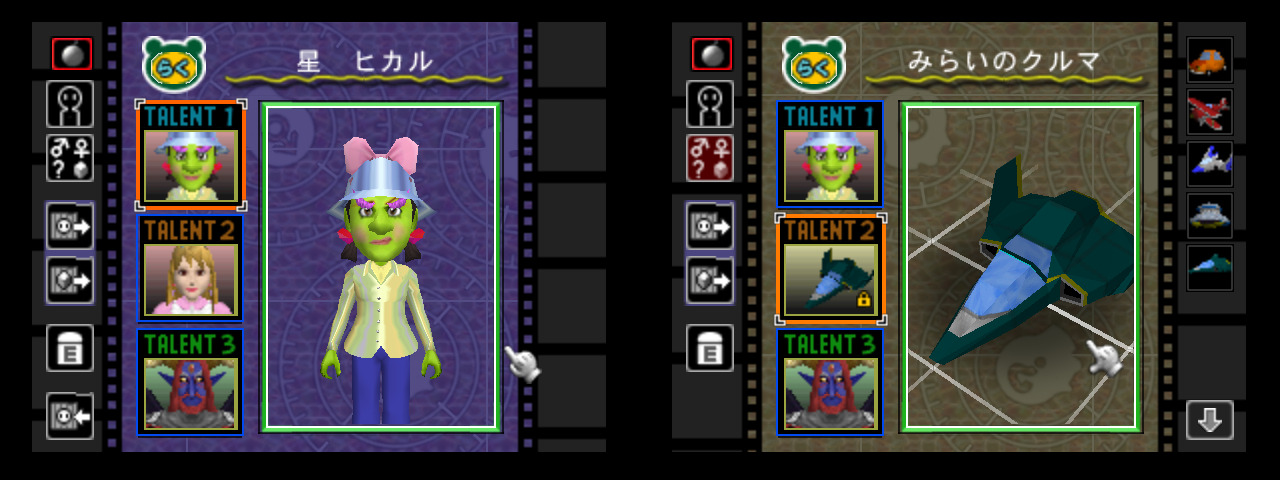
First of all, the actors can be talents, of course, but you can also use 3D models, either samples, or your own from Polygon Studio. That’s already pretty cool.
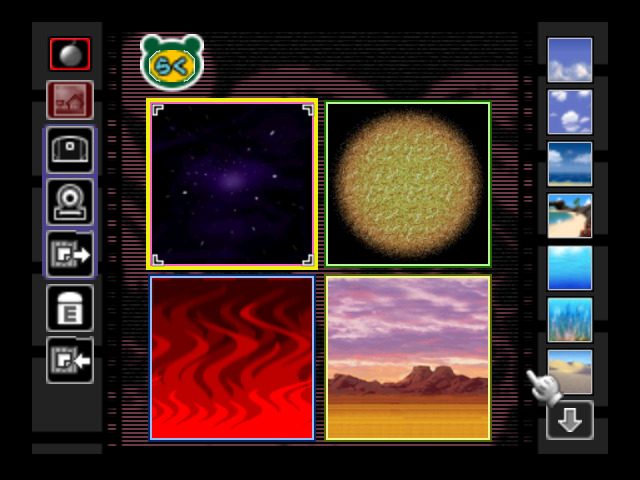
For the backgrounds, either you select from the wide range of sample backgrounds, or you capture one, or you can just import a picture from Paint Studio. The movie editor also offers solid color backgrounds that do not count here.
Here’s a tip: Since 2D images is a common format, you can take screenshots of your movie and reuse them. Same deal for pictures taken in 3D World or of your stage from Polygon Studio (more details when I’ll talk about Polygon Studio).
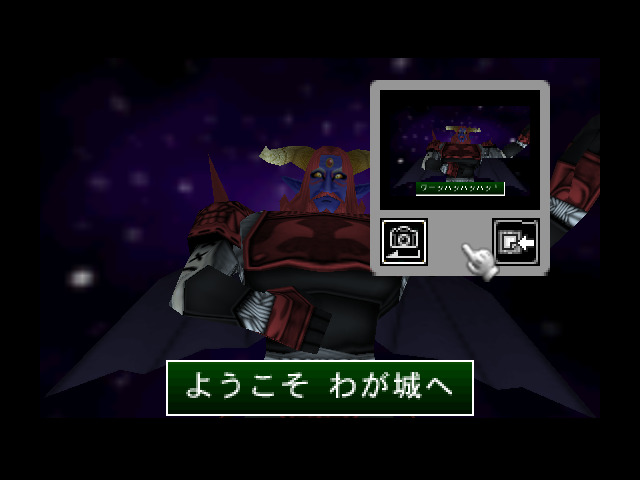
The movie editor is where it gets insane. A scene contains a single actor and background, and from there, you can do anything. The actor can use an animation, for which you can repeat a certain amount, and a camera setup for the scene.
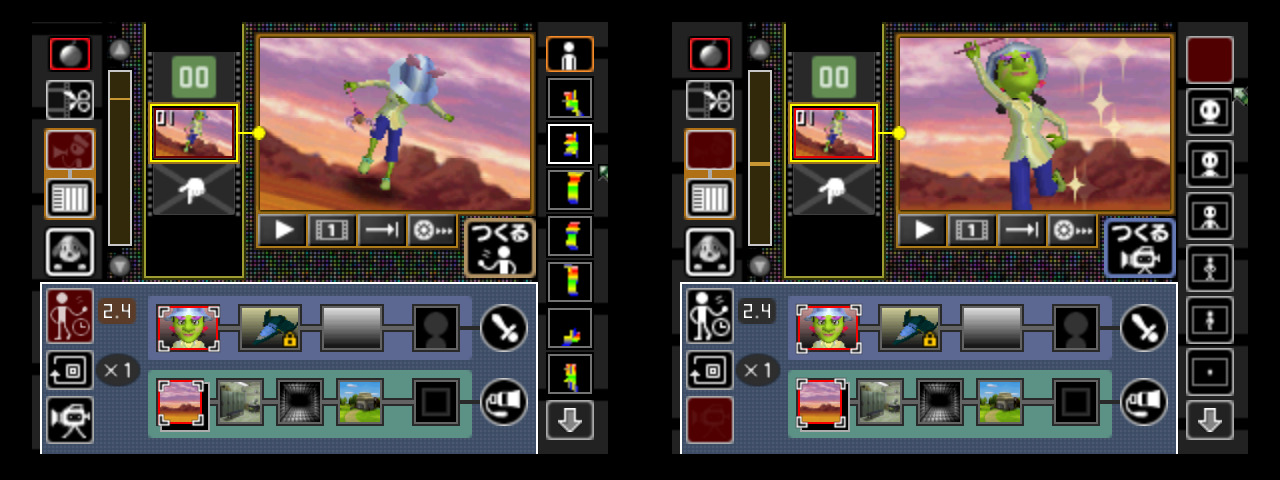
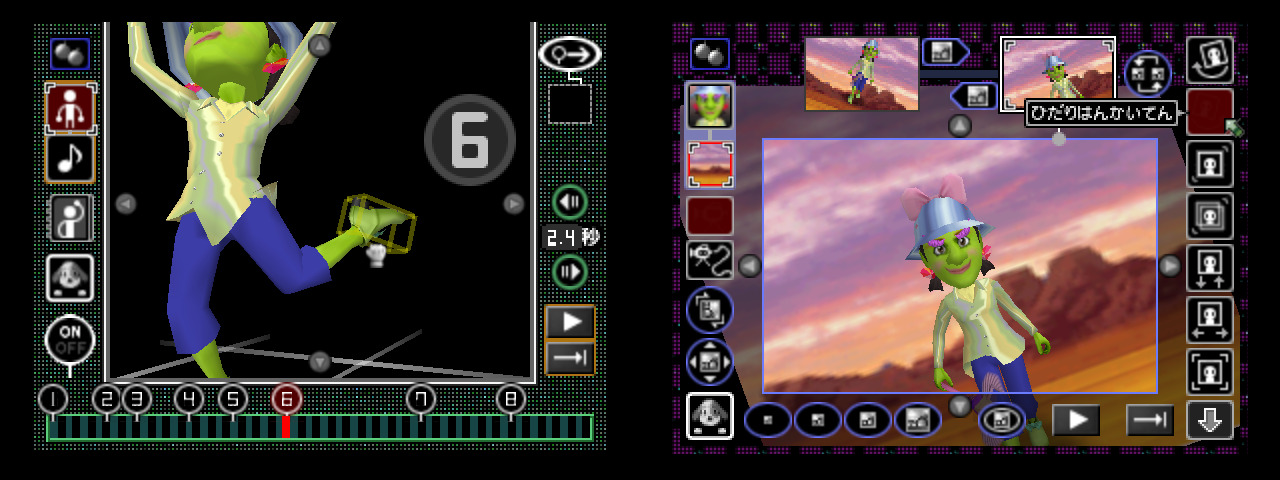
The amount of sample animations is insane, and if that was not enough, you can make your own one using up to 8 keyframes. The camera can be customized, and treats the background and actor seperately, and it’s what you use to move actors / background from point A to B.
And even then, that’s just the basics of the scene. Then there’s the full editing mode, which appears more like a video editor. That’s where you can setup the actor’s mood, lighting, special effects, transitions, captions, drawings…
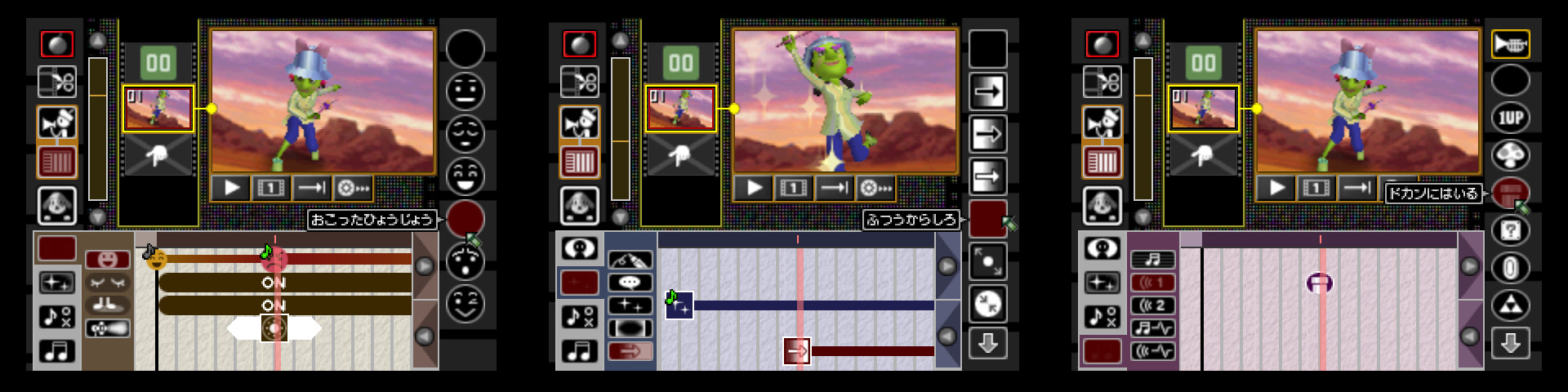
All of them comes with samples… and you can still customize most of them the way you want. There’s also music and sounds, of course.
You can record up to 3 custom sounds for a movie. You also have a sound vault to keep up to 8 recorded sounds.
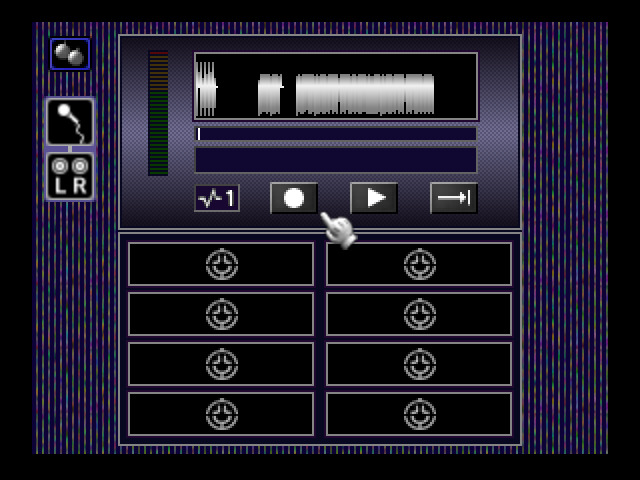
Unfortunately there’s no Sound Studio, so no real custom music possible. Gotta deal with samples most of the time. At least there’s a high quality version of Baby Mario’s crying sound from Yoshi’s Island.
There’s actually a bunch of movies that were uploaded to the Internet, here’s compilations of them:
https://www.youtube.com/watch?v=CW2WzYvyCro
https://www.youtube.com/watch?v=9t-beTpG8oE
https://www.youtube.com/watch?v=AiLNERJTExE
This should be about it for the Movie Studio.
The Gallery is used to view talents on a catwalk with a final photo of all of them at the end, and to put movies on a playlist and watch all of them one after another.
About the Prototype
Somehow, in 2025, a collector named mo_the_pro came to me about his 64DD development kit, blue disk and a N64 development cartridge. It took some time, real life can be a bitch, but thanks to the large accessibility of the SummerCart64 where it seriously shouldn’t be discounted how much easier it makes to preserve 64DD because of how cheap it is to get, he was able to dump his blue disk, and somehow…
It’s a build of Mario Artist Talent Studio dated 6 months before release. I need to stress how insane that is, because I chalked Paint Studio’s early build to be because it was largely developed by a British game studio, making it easier to find. Talent Studio however, is purely a Nintendo development team project, and I need to stress further that having anything early from Nintendo like this is crazy. Oddly enough, most of the things we can find from internal Nintendo tend to not be the big ones, but rather all of the side stuff.
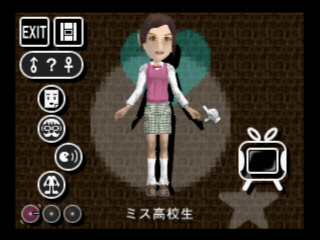
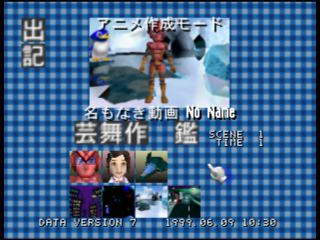
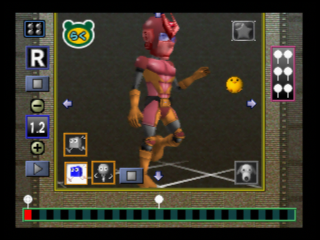
But not unlike Paint Studio, the differences are not necessarily as huge because it is just 6 months apart:
- The Make a Talent mode is lacking polish, some of the costume choices are unique to this version and were removed in the final build, thumbnails are not all ready, the voice menu goes to an extremely unfinished menu, there’s no information menu to handle name, gender and catchphrase. You can access the debug menus, like the Show Time Edit (shown later in this article) where the ability to draw on the screen works.
- The Make a Movie mode is clearly the most interesting one because it is completely made of placeholder user interface. It was clearly in heavy development, but they did mostly figure out the features and limitations that would be in the final version. The main change is how the actor used to hold an item in the Actor selection menu, which I’m glad they changed that to be able to give them items to hold per scene instead. Some of the backgrounds are also unique to this version, but mostly, aside from absolutely no polish at all on the menuing, they mostly had something that would be close to the final version.
- By far the main event to me is that some of the music range from mostly identical to completely different. The title screen music uses different drums, the menu music is completely different (and honestly… better), there is unfortunately only one song for Make a Talent mode, the other BGMs crash the game, the Make a Movie song is different but still very much crazy and random (literally speaking it relies on RNG), some of the movie music are different, and there are a few unused music in the game that I managed to dig out. Definitely take a listen to the music, it is accessible on the Games page and on YouTube.
Rambling about Talent Studio
Mario Artist Talent Studio was shown as early as 1997 during the 64DD Showreel for Spaceworld 1997, as “Talent Maker”, alongside “Picture Maker” and “Polygon Maker”. “Sound Maker” would be also announced around that time.
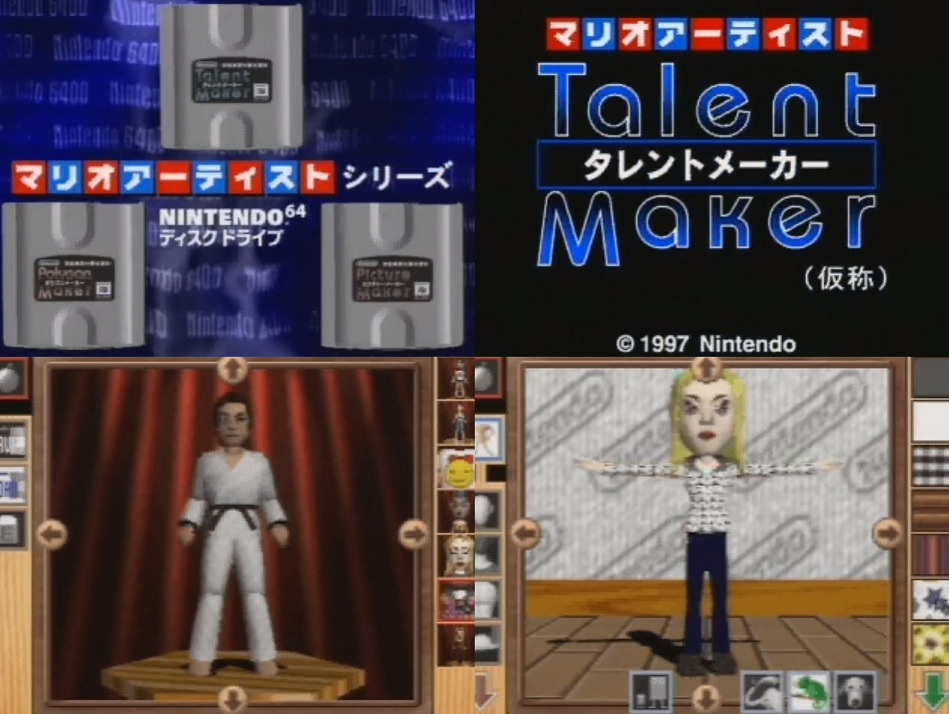
We know it was one of Miyamoto’s pet projects, where he really wanted some kind of character creation, an idea that he had experimented since the Famicom Disk System. He really kept going with it, he was obsessed with it, again on 64DD, then GameCube, then the Wii.
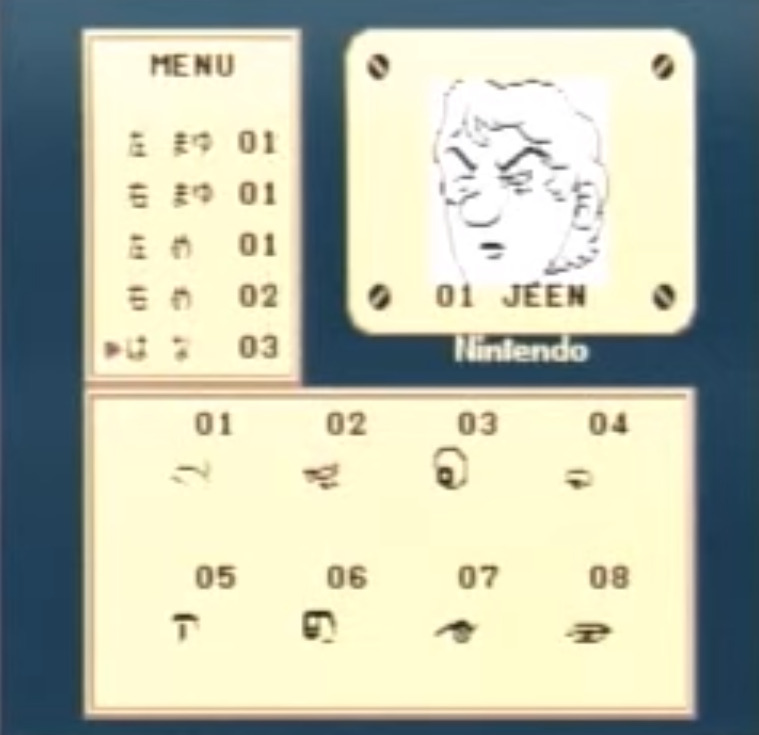
Heck, Miyamoto even pushed the project during his keynote at GDC 1999, with some humor to add.
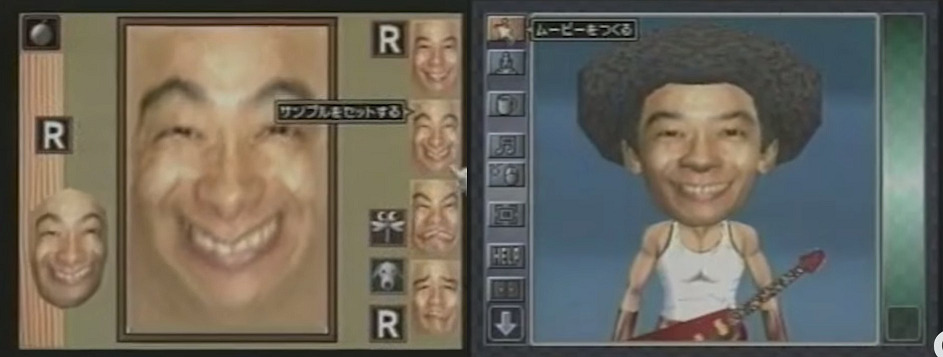
One of the cut contents of Talent Studio is also a minigame which is sort of like Super Monkey Ball, it was shown in 1997. And then just like Paint Studio, seemed to have been removed in the last year of development.
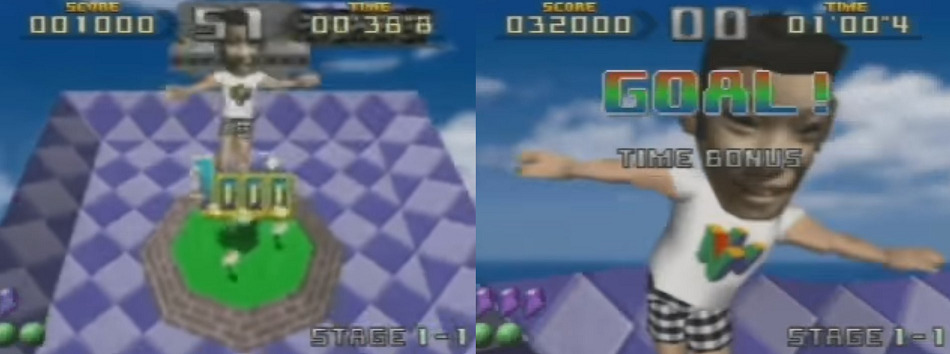
Talent Studio has some importance in Nintendo’s development history, outside of the Miis.
The Show Time mode is full of motion captured animations, directed by Shinya Takahashi (yes, that person in recent Nintendo Directs!) & Tsuyoshi Watanabe. I have recently uncovered a Show Time Edit mode, check out this video that showcases it.
You can also find cheat codes to access it in the Talent Studio page from The Cutting Room Floor.
During development of its successor, Stage Debut for the GameCube, they reused Talent Studio assets. It also required the use of the “GameEye”, the camera for the GBA. This was a time when Nintendo was very experimental.
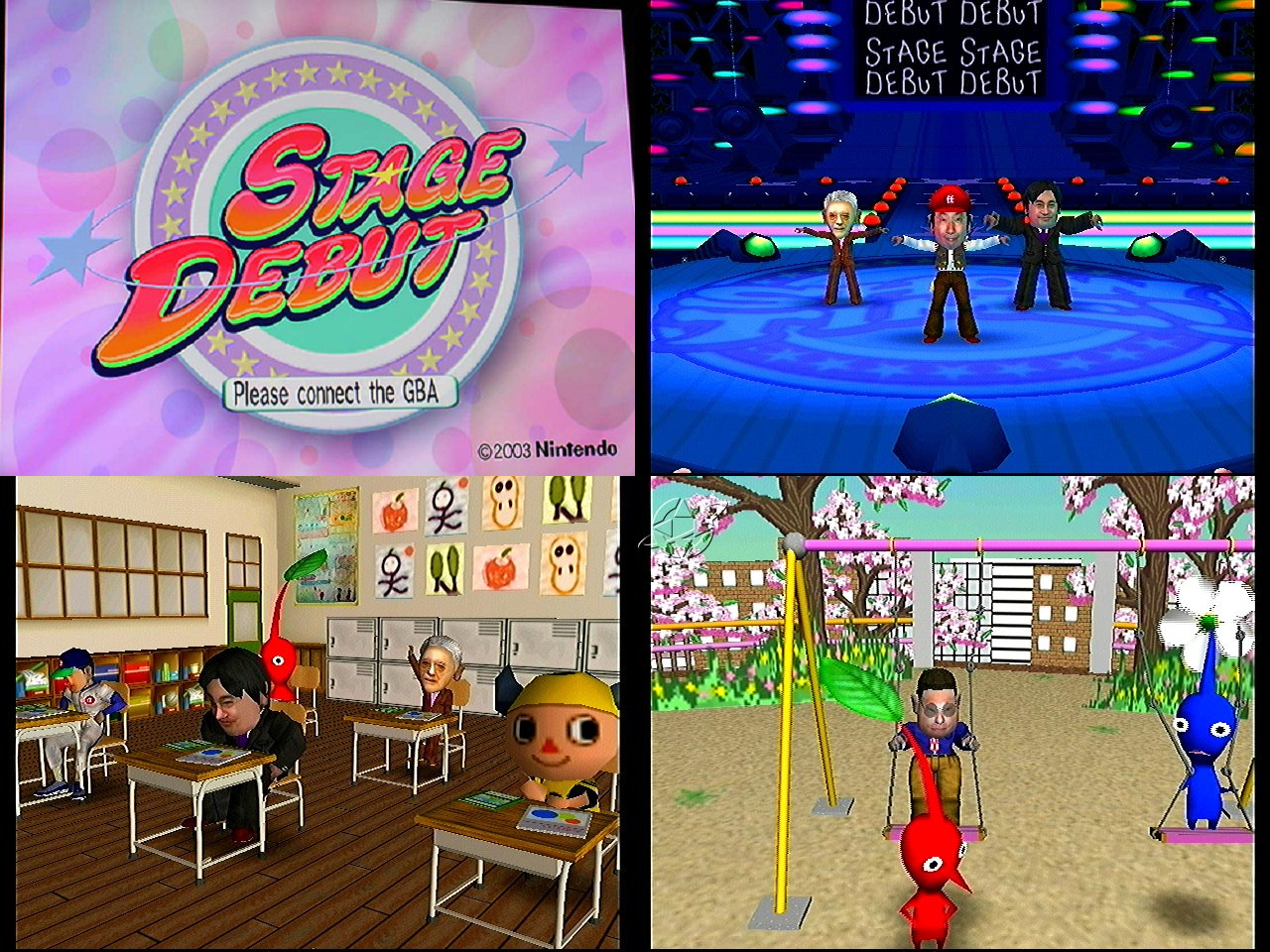
Which then another project took its place, called “Ningen Copy Manebito”, and the GBA camera would be called “Manebito Camera”. Outside of the trademarked logos, all we know is that they used Stage Debut’s engine as a base according to Iwata Asks.
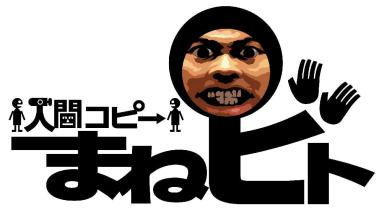
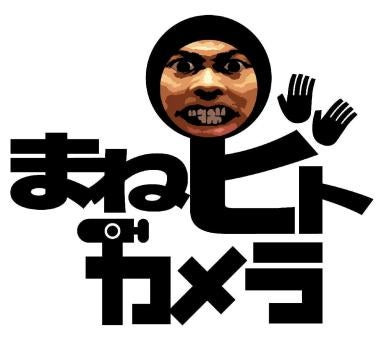
It is kind of particular how I am torn between two things: The cancellation of Stage Debut / Manebito allowed the Miis to exist, but also I am quite frustrated how we missed out on something that was basically Talent Studio 2 on the GameCube, on a system that would have at least gotten a lot more success than the 64DD. The reasoning being that they didn’t know what to do with the characters is particularly odd to me, Nintendo has released a few non-games before, the worst part is how starting from the DS, Nintendo became more open to experiences that weren’t games.