Mario Artist Communication Kit
Published on 06 Feb 2026
This was released before Polygon Studio. Its main purpose was to share Mario Artist creations on the Randnet service, and provides some extra functionality for the Capture Pak, and some bonus stuff.
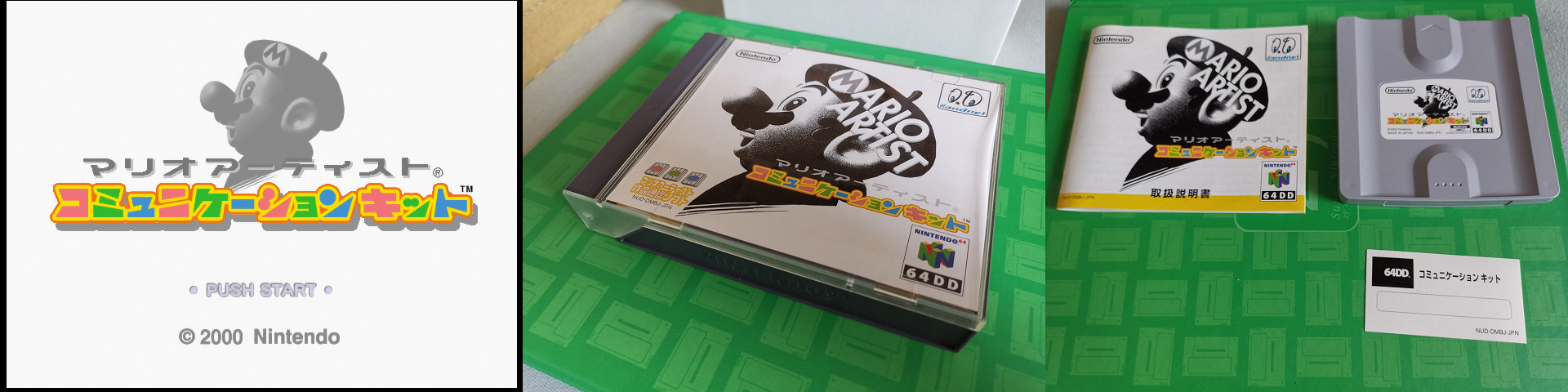
A lot of this article will depend on the Communication Kit’s manual. Since we haven’t yet recreated the service behind it, the best I can do is provide what I understood alongside screencaps.
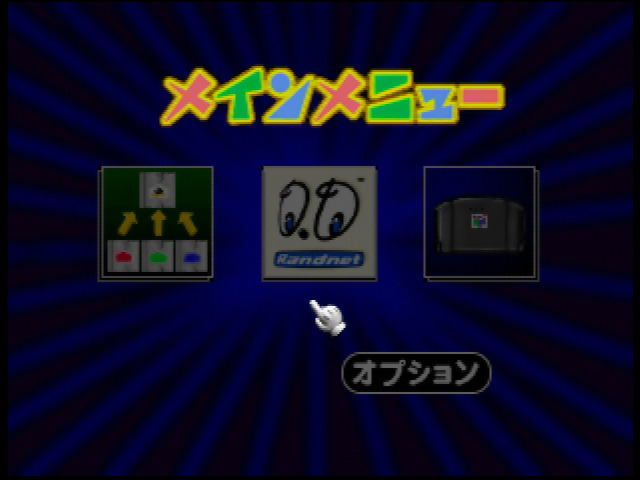
The main menu has: Save & Load, Net Studio, Capture, and Options…? There are a few secrets we’ll talk about later.
Save & Load
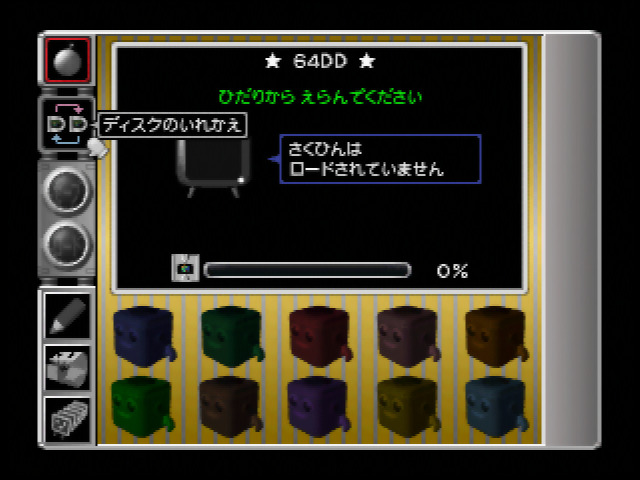
Save & Load is basically where you copy your Mario Artist creations to the Communication Kit disk so you can upload them via the Net Studio. If you plan to do a lot of uploads at once… this might be painful as you need to swap disk for every copy. Not that would upload a lot anyway because we were still using dial-up Internet, and that was expensive.
Net Studio
Net Studio is basically your service access. This is where you put your Randnet ID and password (…which are sent plaintext) and of course dial to the service via the Modem Cartridge. From there, you can Upload, Download, and use the Print Service.
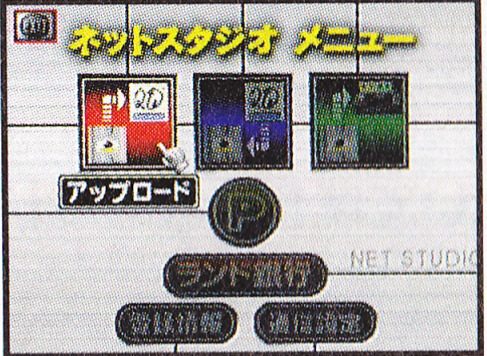
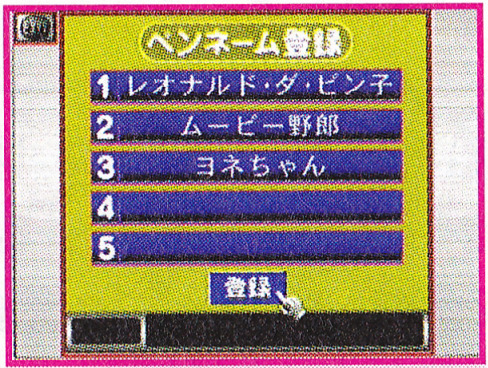
In an interesting manner, you can register up to 5 nicknames (called pen names here, accessed by the P button) as your own, and even then, it’s actually optional. You can still upload as an anonymous person.
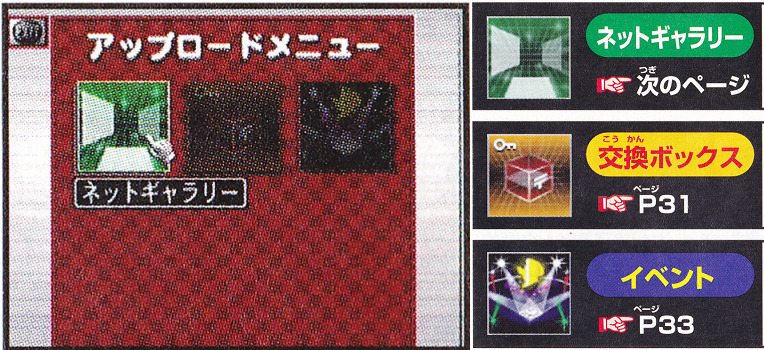
When you upload or download, you have 3 choices:
- Net Gallery: where anyone can freely upload and download creations.
- Exchange Box: where you can send creations in private to someone else.
- Event: where you send creations to some sort of contest.
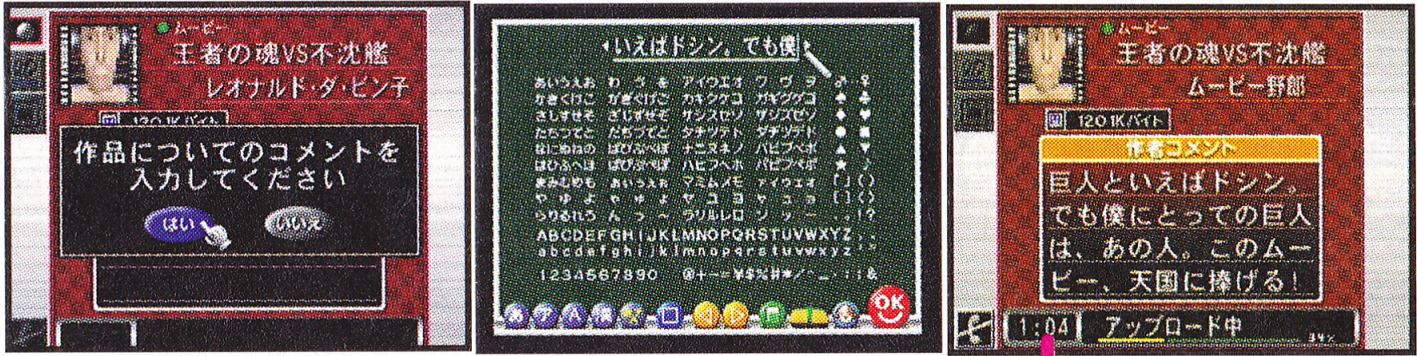
Uploading your creation is pretty simple, just select your creation from the Communication Kit disk, select your nickname (or not), and you can type the title and description. Fairly standard.
When it comes to Event… something definitely wouldn’t hold up today. Of course you can upload your creation for an event, but sometimes, you may have a PAID event. As in, you have to pay to upload your creation.
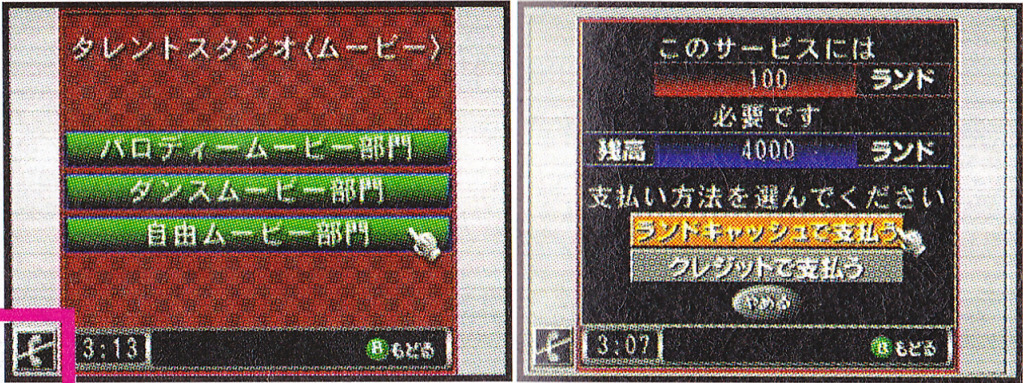
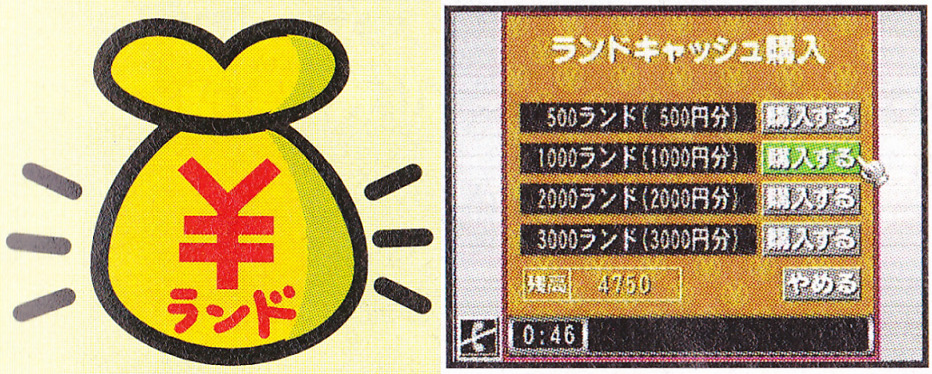
Ever heard of Rand Cash? Well me neither until now. One rand is equivalent to one yen. I don’t think paid event uploads would be expensive but that wouldn’t fly today for sure, not to mention like, Randnet is already a subscription service!
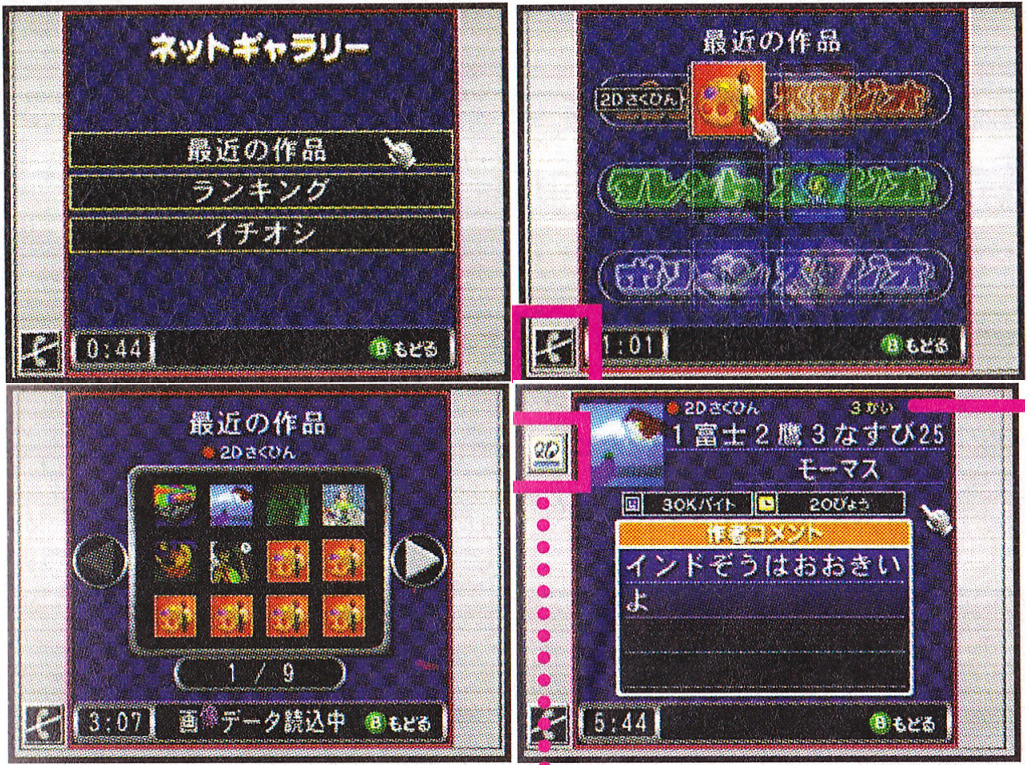
Downloading from Net Gallery offers more options, Recent, Best, and Recommended, and then after that, what type of creation you want for Paint, Talent, Polygon Studio… From there, you can finally see thumbnails of creations and start downloading.
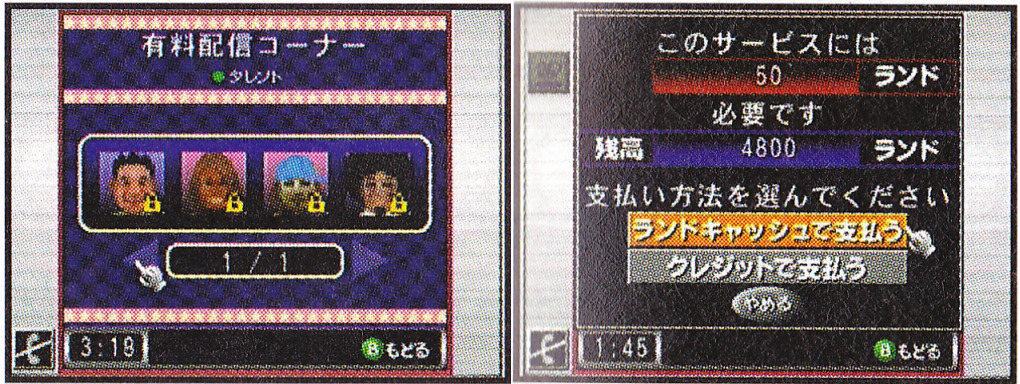
And of course, you can download Event creations… WHICH CAN BE EITHER FREE OR PAID. UGH.
The Print Service is also a paid service, though at least it makes more sense. You upload your creations for Randnet to print and then ship to you.
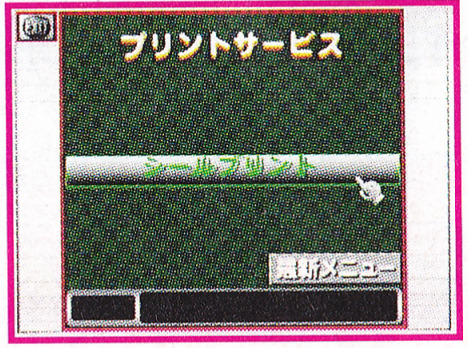
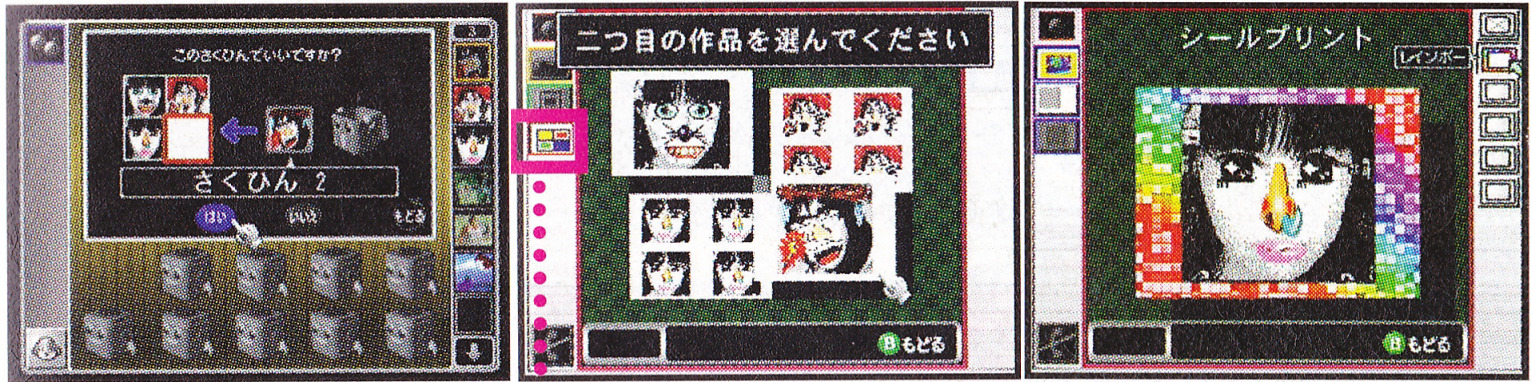
Sticker Print was one of the options, where you can put up to 16 pictures on a sticker on a seemingly pretty easy to use interface.
Paper Craft was then added later to print your 3D models as a papercraft.
Capture
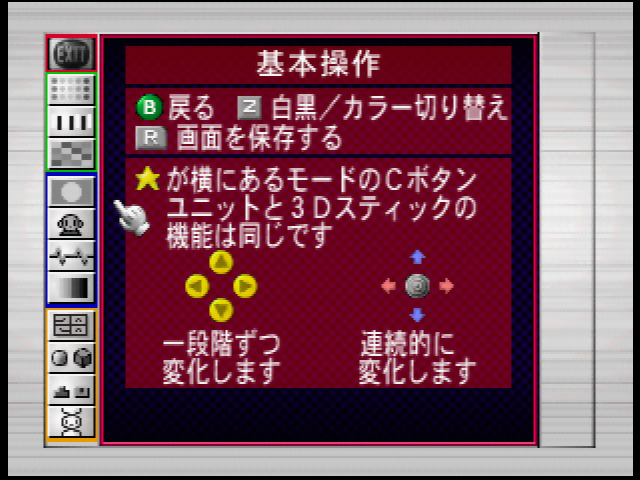
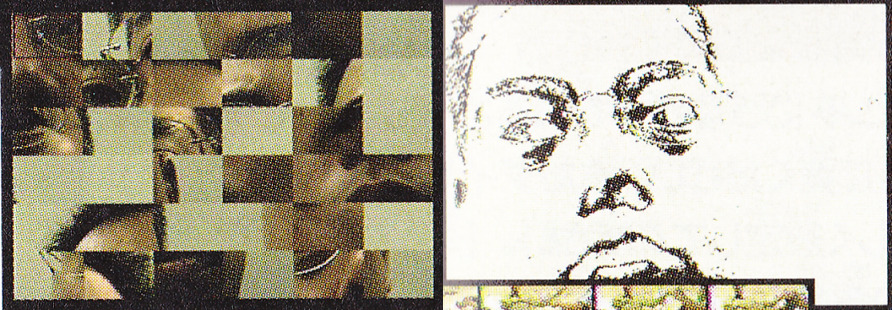
The Capture option is much more robust than Paint Studio and Talent Studio, this time you have options that can actually remind you a bit of the craziness of the Game Boy Camera photo shoot options…
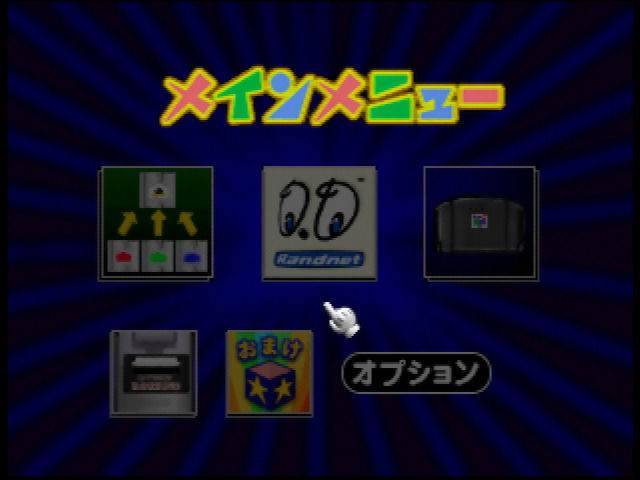
Then it has a few secrets of its own. Here’s the full main menu.
Bonus Creations and Game Boy Printer were hidden the whole time!
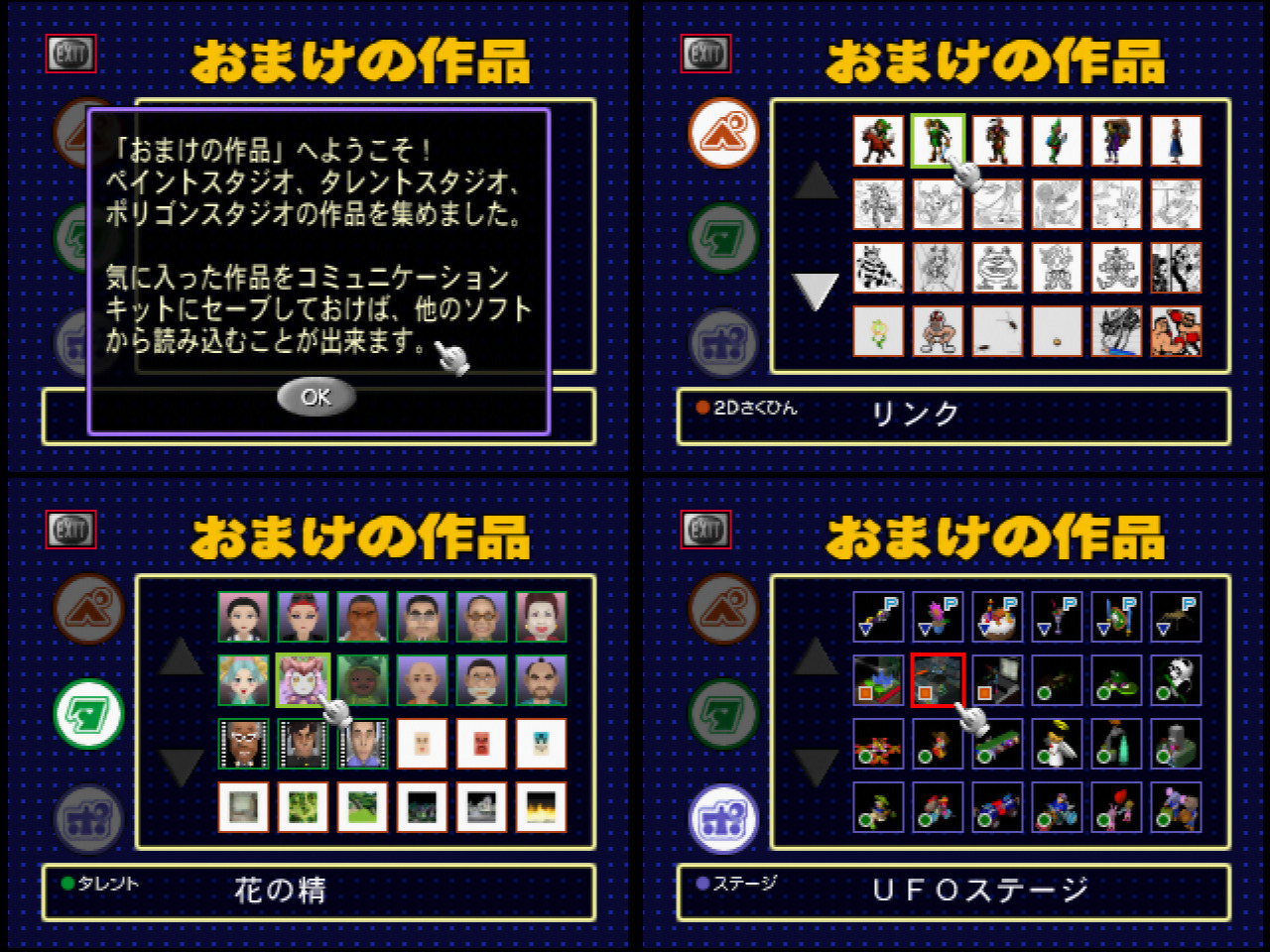
Bonus Creations
To access bonus creations, even though the icon is invisible, you can still select it! It contains a bunch of creations that you can save to the disk to then import in Paint Studio, Talent Studio and Polygon Studio!
It’s worth checking out if you want some inspirations, it includes backgrounds, coloring book pages, and of course a bunch of silly and cool creations. Nothing prevents you to use drawings and 3D models for other Mario Artist titles than the one intended too.
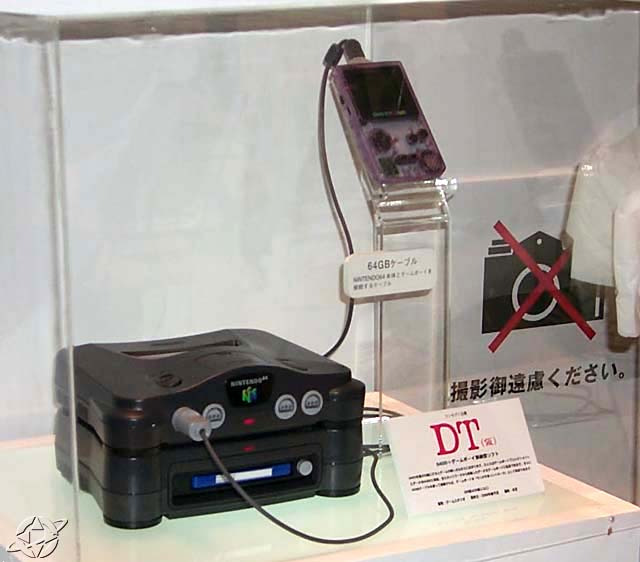
Game Boy Printer
Game Boy Printer is pretty much unused, because not only it requires the unreleased 64GB Cable (read N64-GB, shown here), it requires a special Game Boy Printer cartridge to plug it to! It was also hidden inside Paint Studio, unlocking when it detects the hardware.
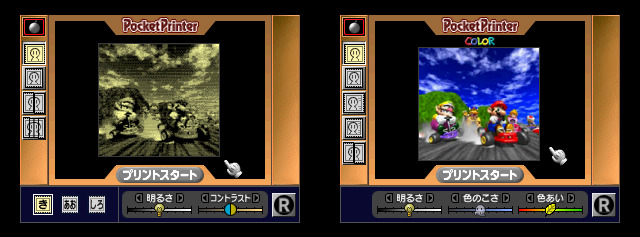
Basically it allows to print your picture on the Game Boy Printer, you can print it either in small or split it in several parts to then put it all together later.
However if you might think it might look pretty shitty on the Game Boy Printer that we know, this also fully supports the unreleased Pocket Printer Color! It works just like the Game Boy Printer, but in full color. We don’t know much about the hardware.
And this about covers the entire Mario Artist suite.
Mario Artist is genuinely a fascinating suite of games, made with love and care, only to come up on an addon destined to fail. Dolphin was already talked about since 1999, and the Dreamcast already came out worldwide, just to give an idea.